## 需求说明
1.列表左侧显示圆点
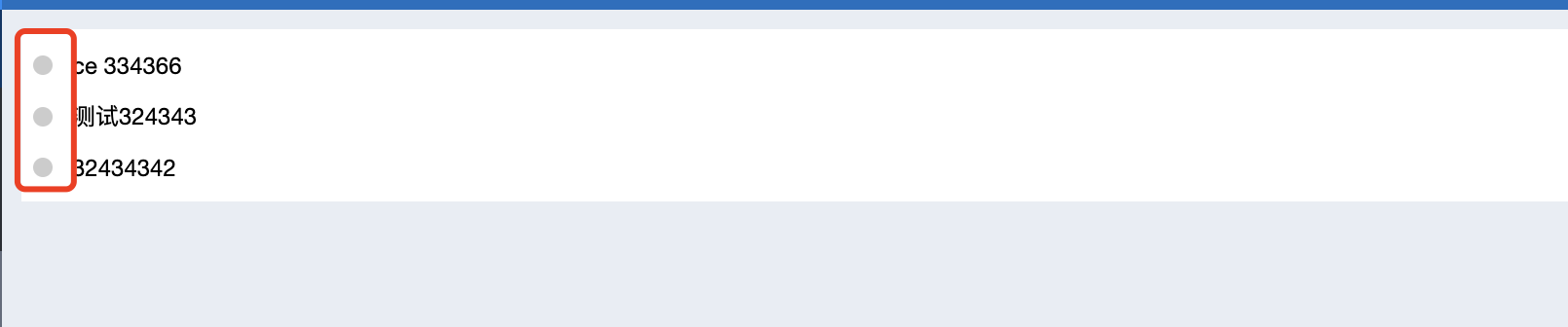
2.鼠标移到文档名称文字变红

2.日期为灰色

## 实现思路
1.通过审查元素可以判断这是一个table组件,所以我们需要复写table组件
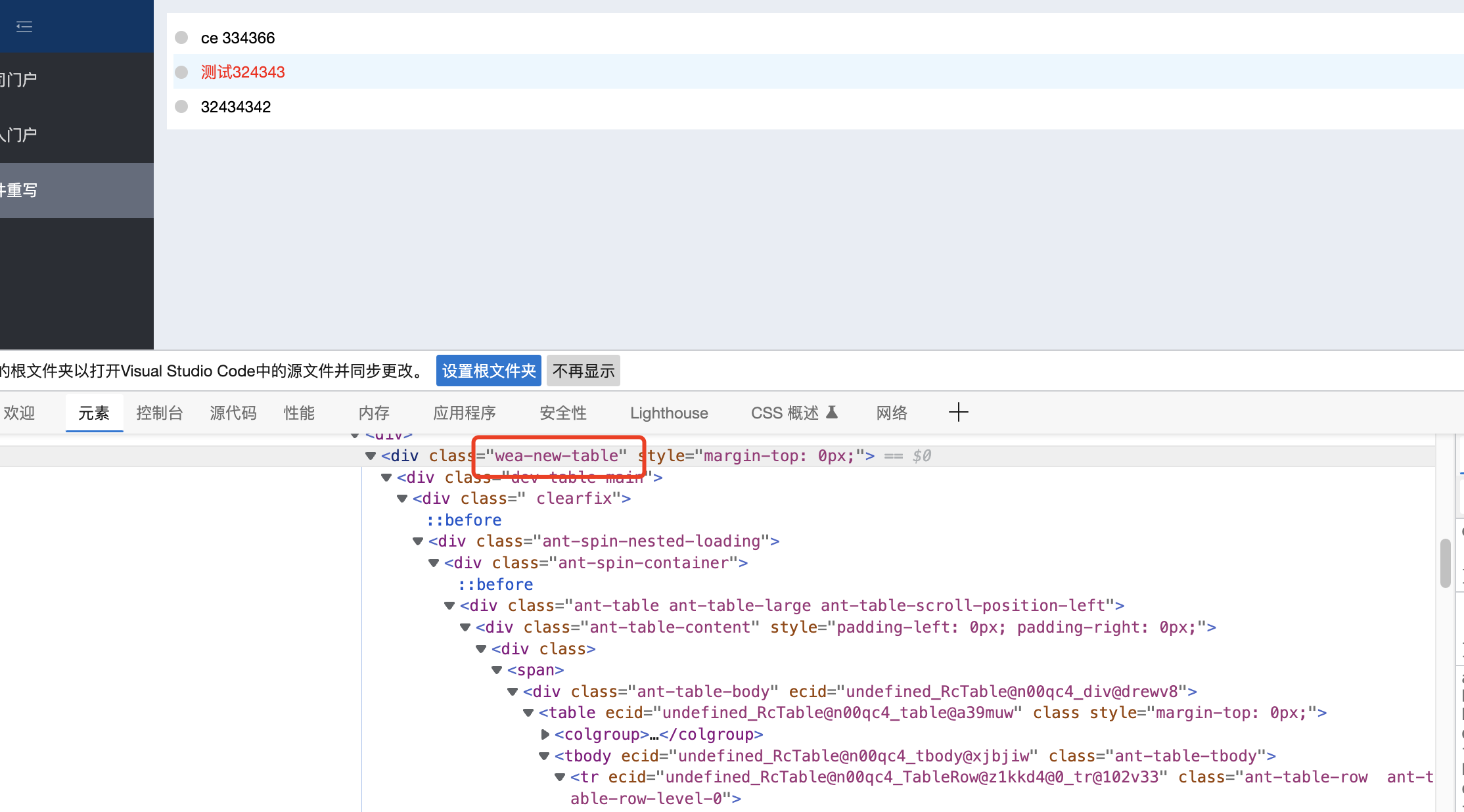
2.在复写时需要往左侧这一列添加一个圆点的元素

3.在其他两列为他们设置一个class样式,写入样式即可

## 实现方法
1.在门户里添加一个文档中心元素,显示文档列表。
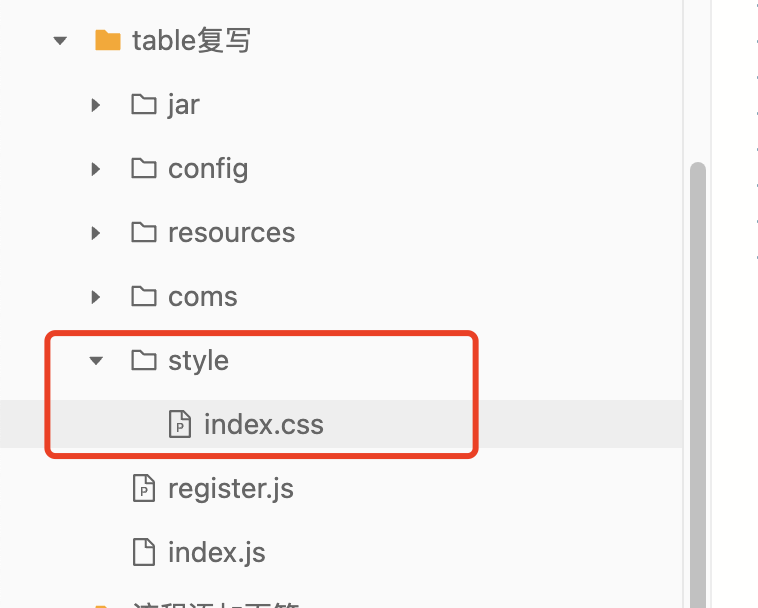
首先新建一个coms目录用来存放组件,里面再新建一个js文件用来重写我们的组件,js文件名称你可以随便起
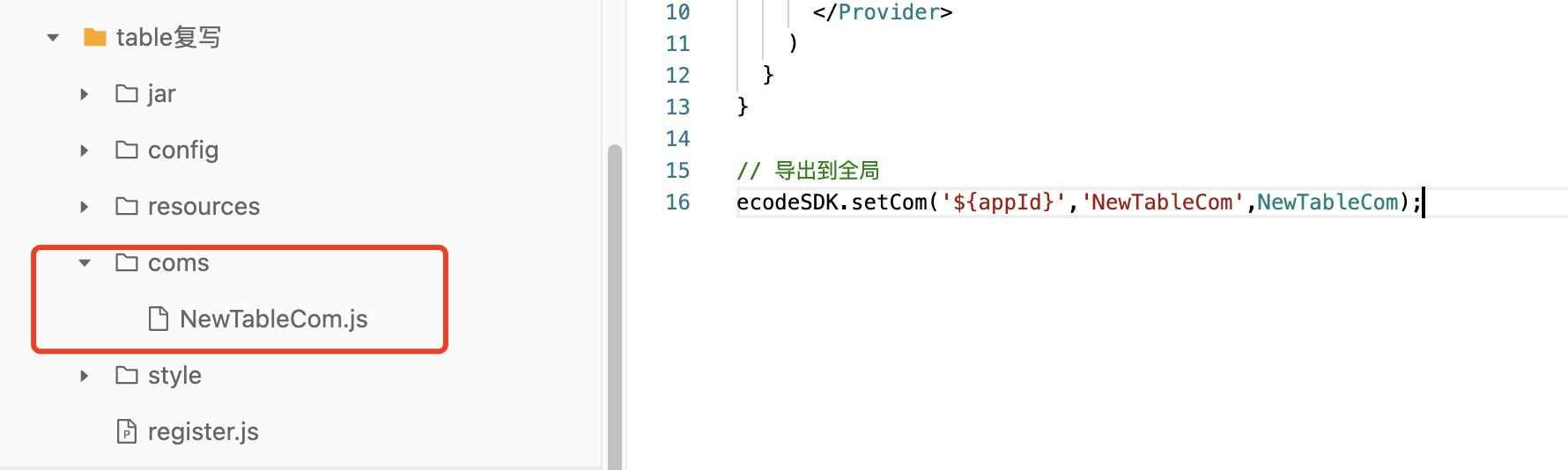
2.新建一个style目录用来存放样式文件,在里面新建一个index.css文件,用来写我们的样式
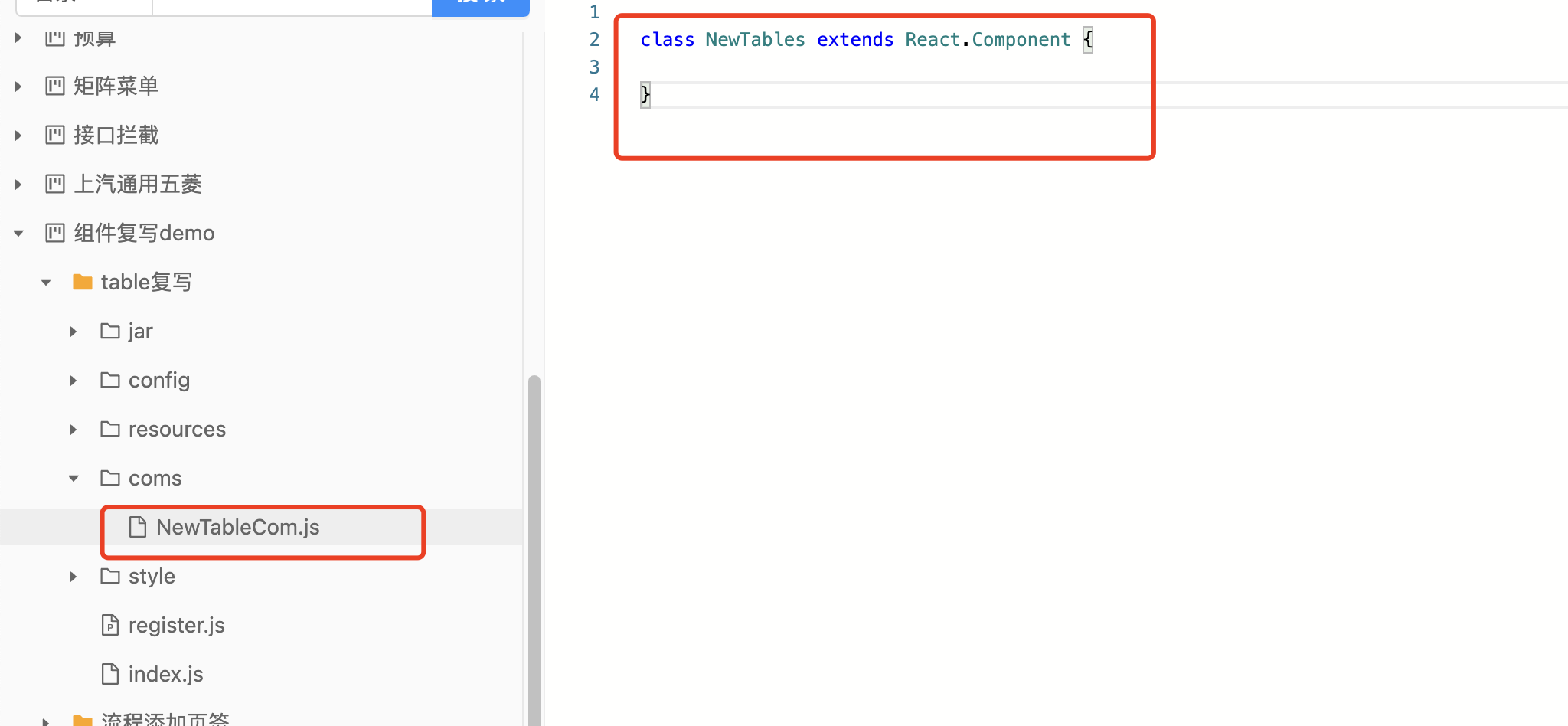
3.在你的组件文件里先写个类,用来声明组件
4.新建一个index.js文件,用来发布我们的组件,写入一些代码
```javascript
const NewTables = ecodeSDK.imp(NewTables)
const {Provider} = mobxReact;
const allStore = ecodeSDK.imp(allStore);
class NewTableCom extends React.Component {
render(){
return (
)
}
}
// 导出到全局
ecodeSDK.setCom('${appId}','NewTableCom',NewTableCom);
```
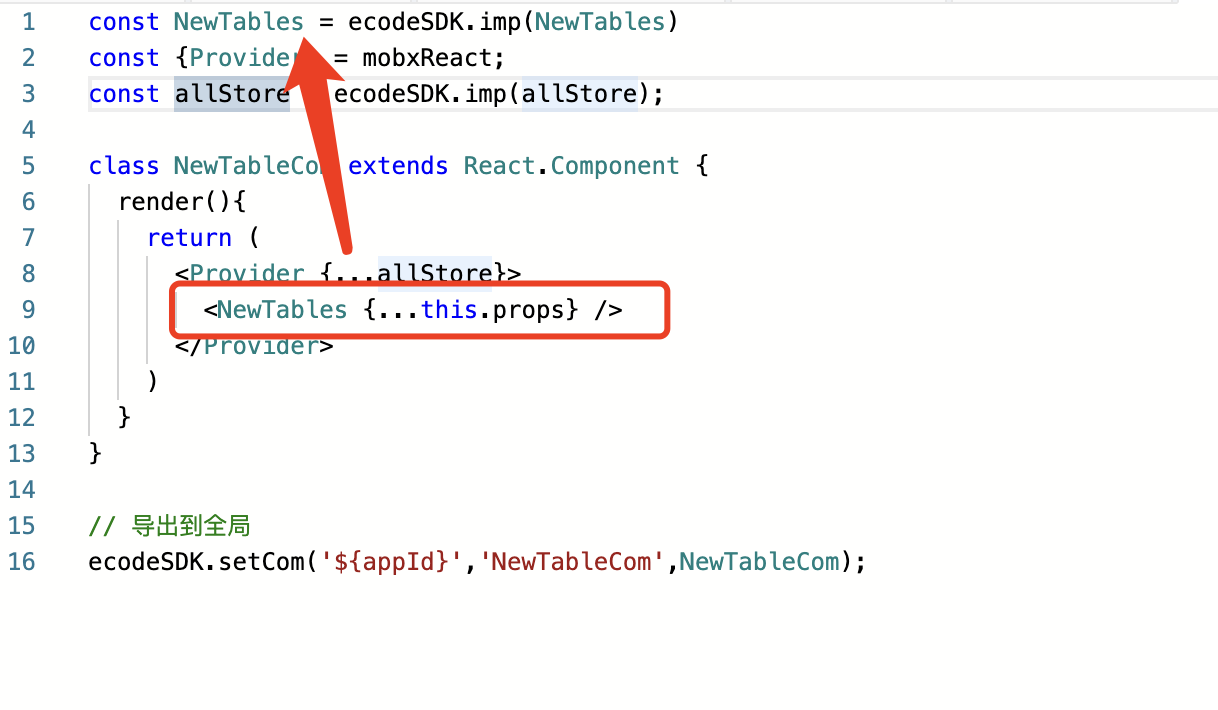
在导入组件时“NewTables”指的是组件名称,根据你的实际组件名称填写
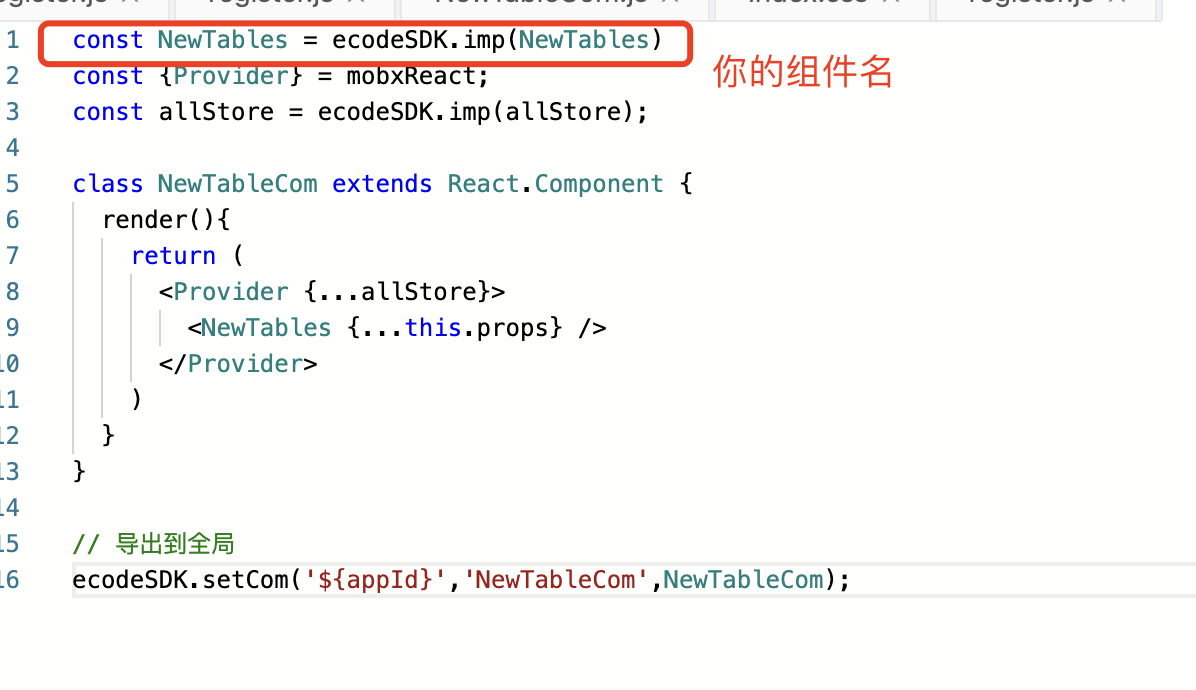
你的组件名称在你的组件文件里面看,比如我这里的class名称是NewTables,我的组件名称就是NewTables
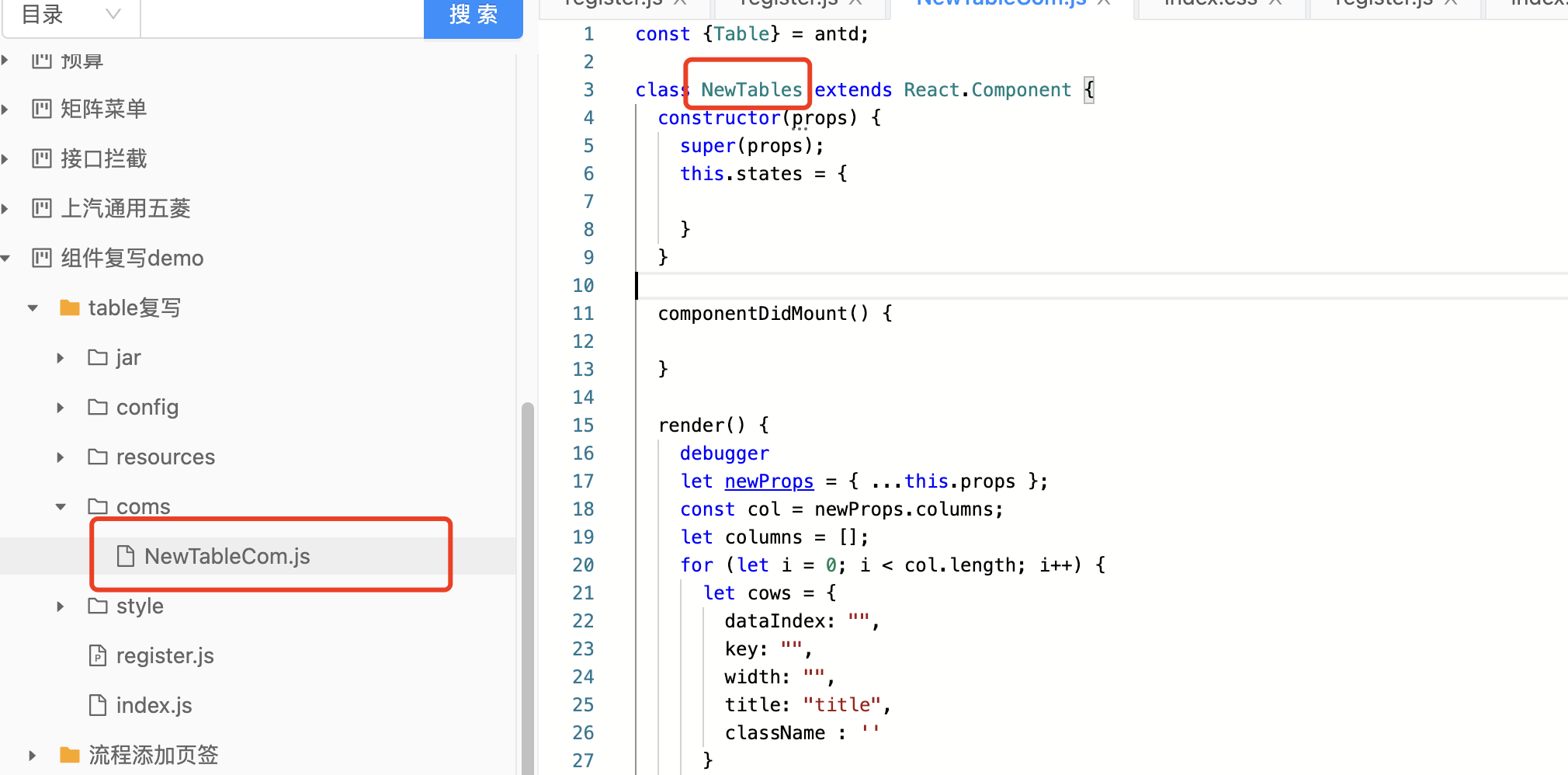
这个是引用上面这个的,确保名称一样
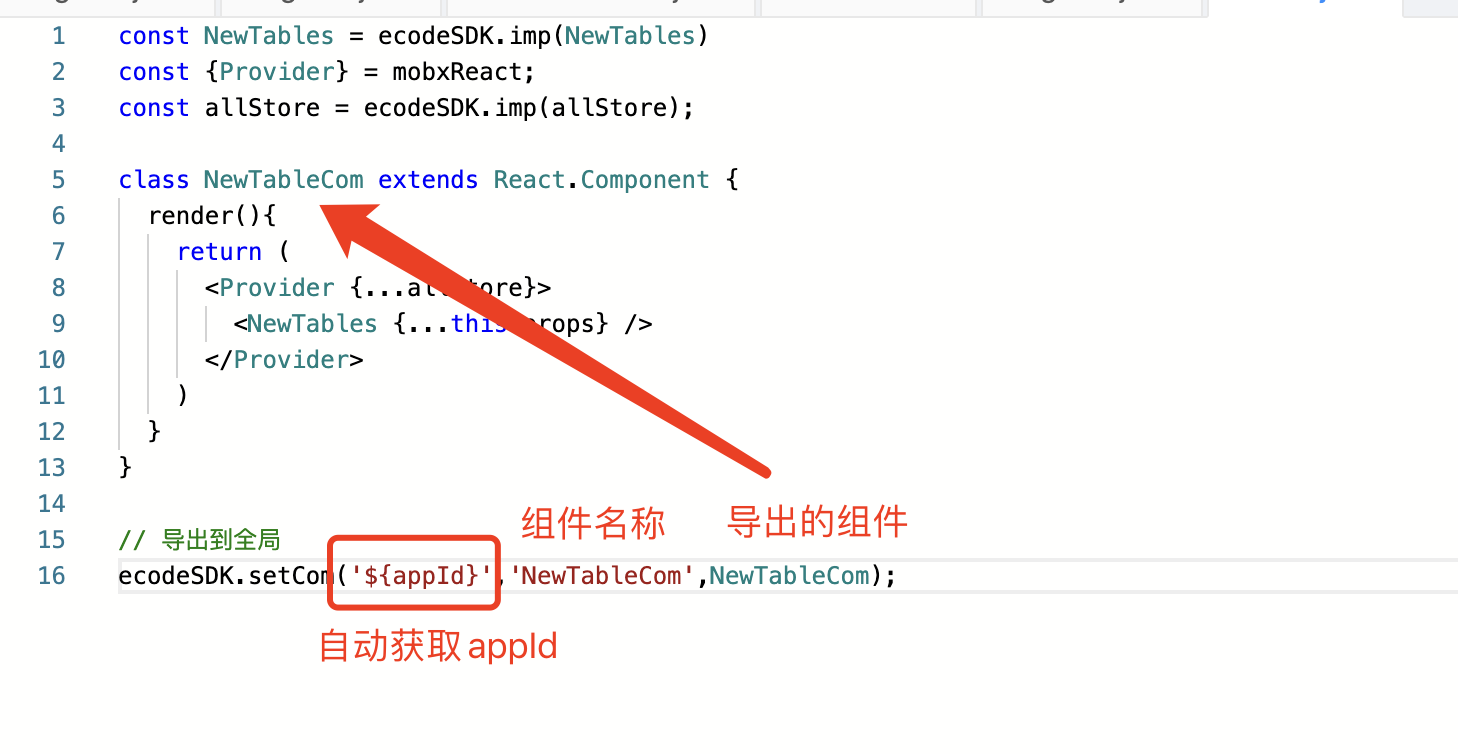
这段代码是要把组件导出到全局,${appId}是获取当前模块的appId,第二个参数是组件名称,第三个参数是要导出的组件,就是我们上面写的这个类
5.我们写的组件已经导出到全局了,然后要再写个register.js文件,引入刚才导出的组件,对原组件进行替换,注意register.js文件需要前置加载
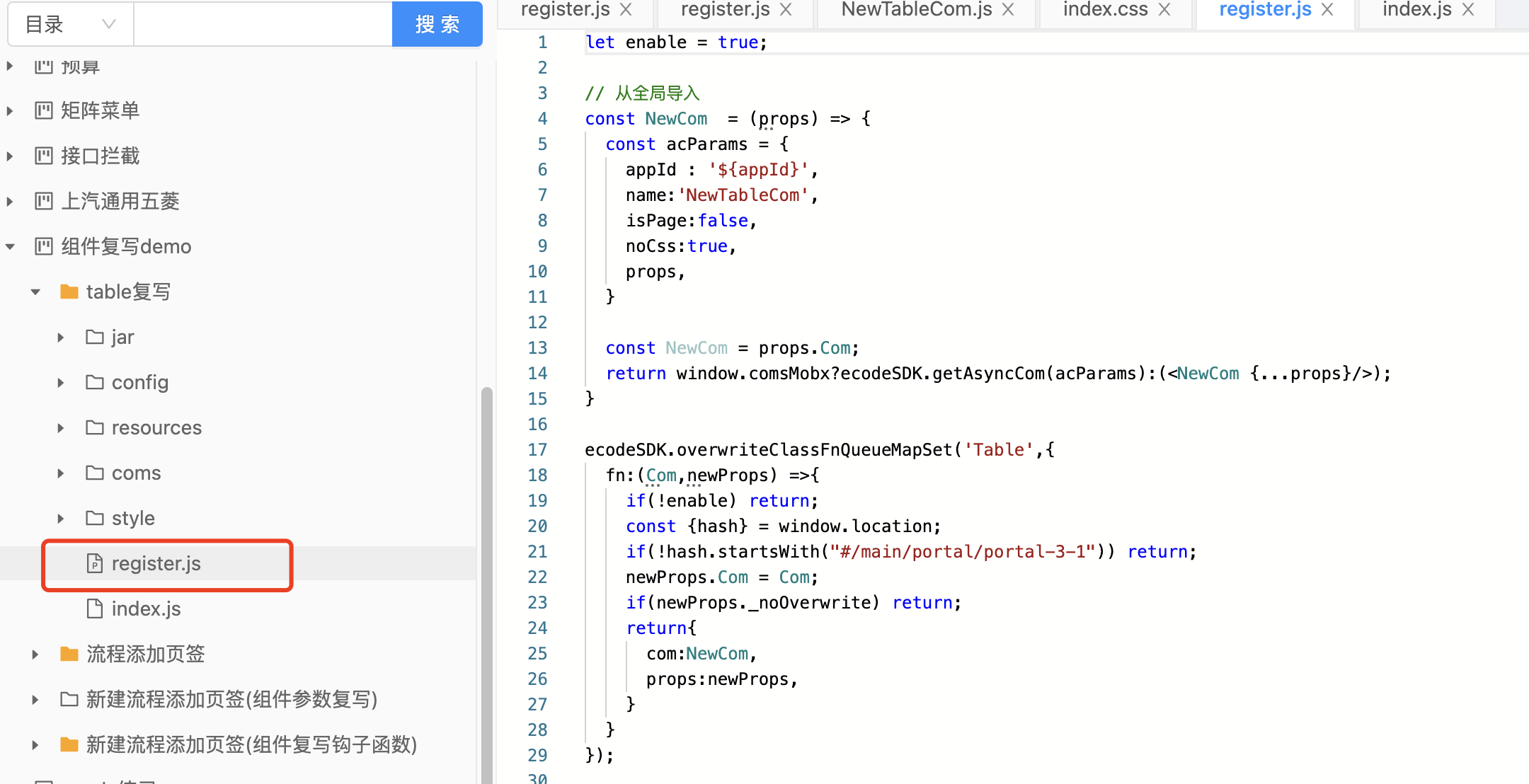
这段代码就是获取刚才导出的组件
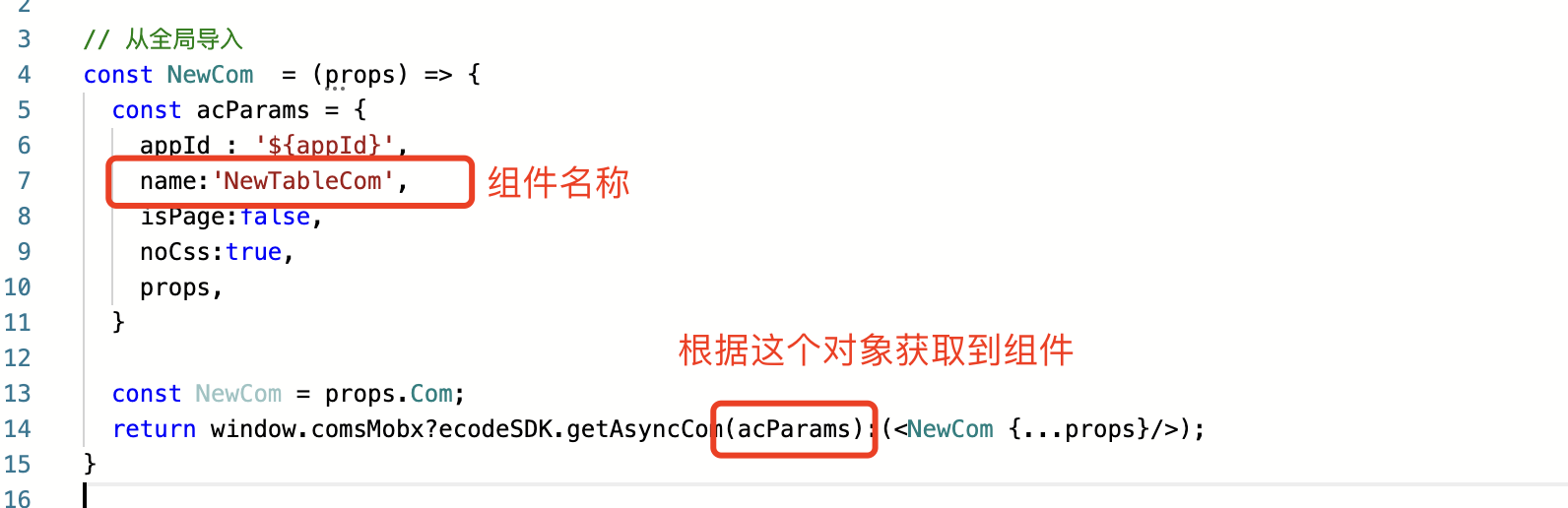
这里是设置对原有组件进行重写,就是替换了原有组件
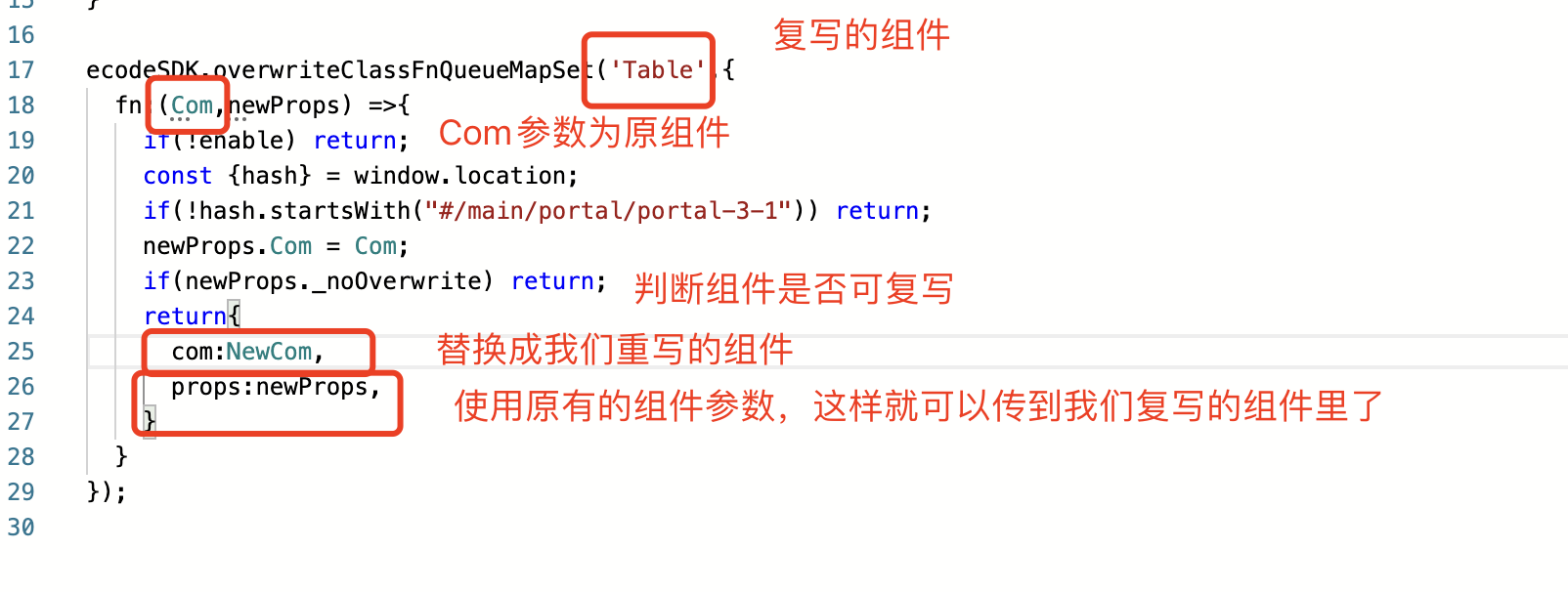
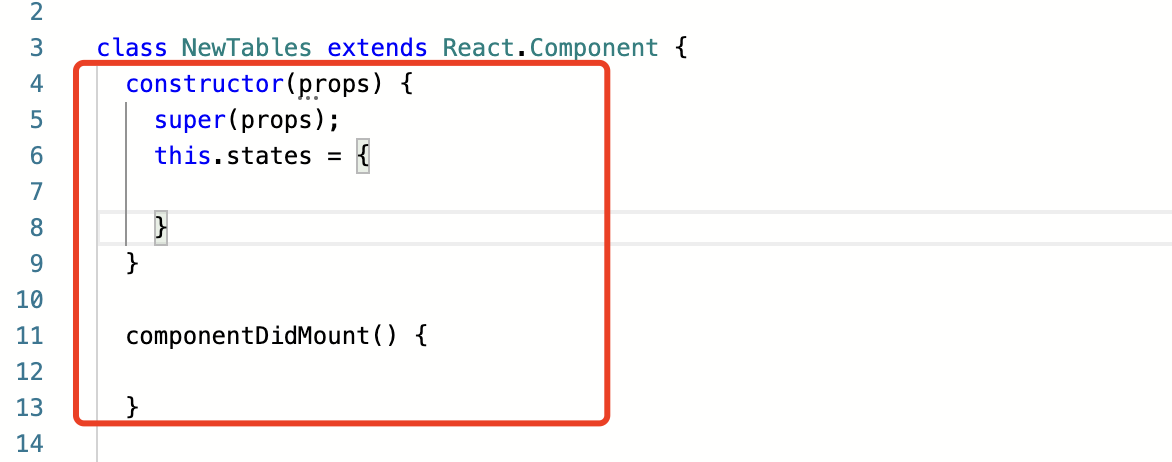
6.接下来复写table组件,在组件文件里输入这段,这是固定的写法
```
constructor(props) {
super(props);
this.states = {
}
}
componentDidMount() {
}
```
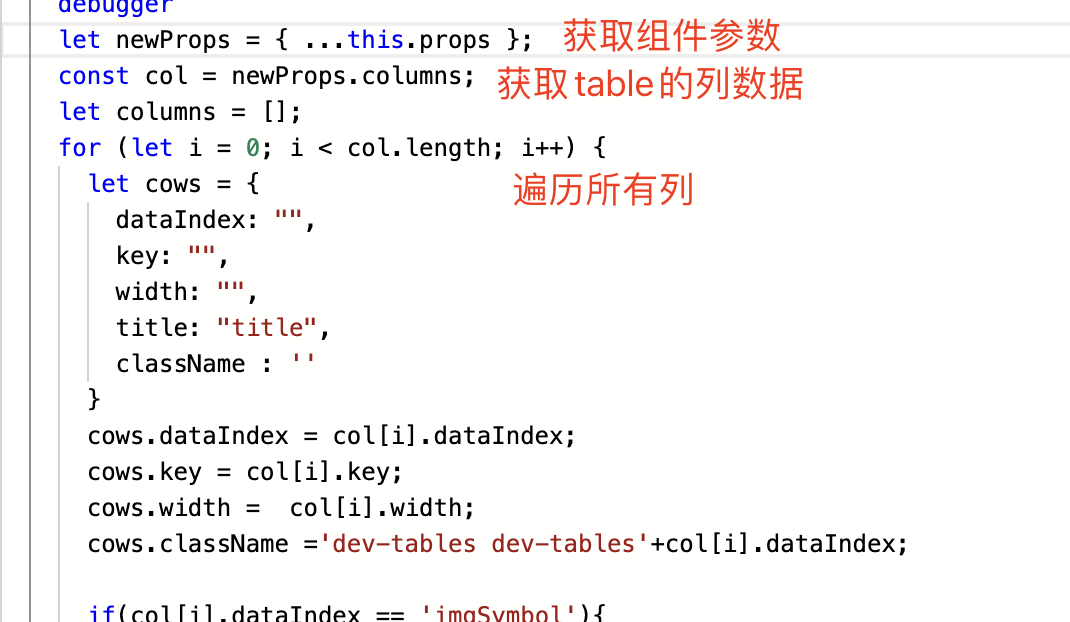
7.render里就是我们重写的内容了,我们先获取到原有组件参数
8.先看一下table都有什么参数,转到组件库查看table的代码,可以看到有columns参数,应该就是列的数据
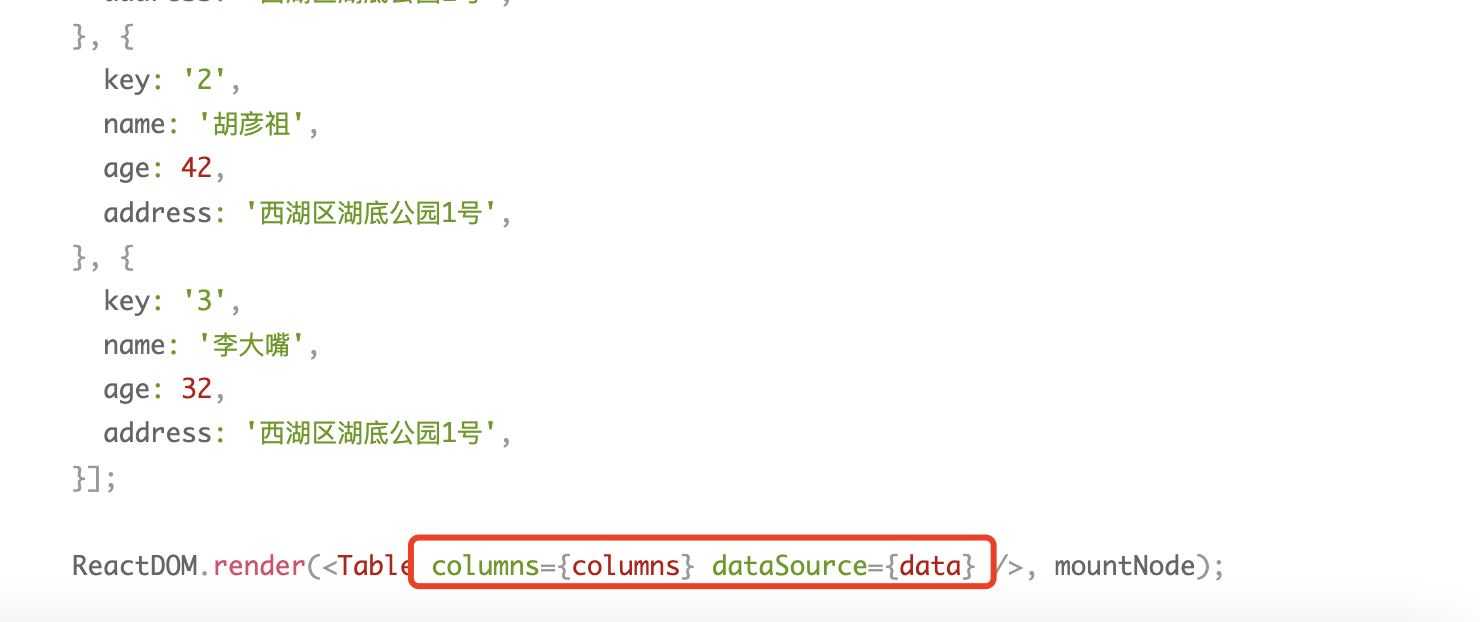
列的数据结构是这样的,可以看到代码里面定义了姓名、年龄、住址、操作这几个列
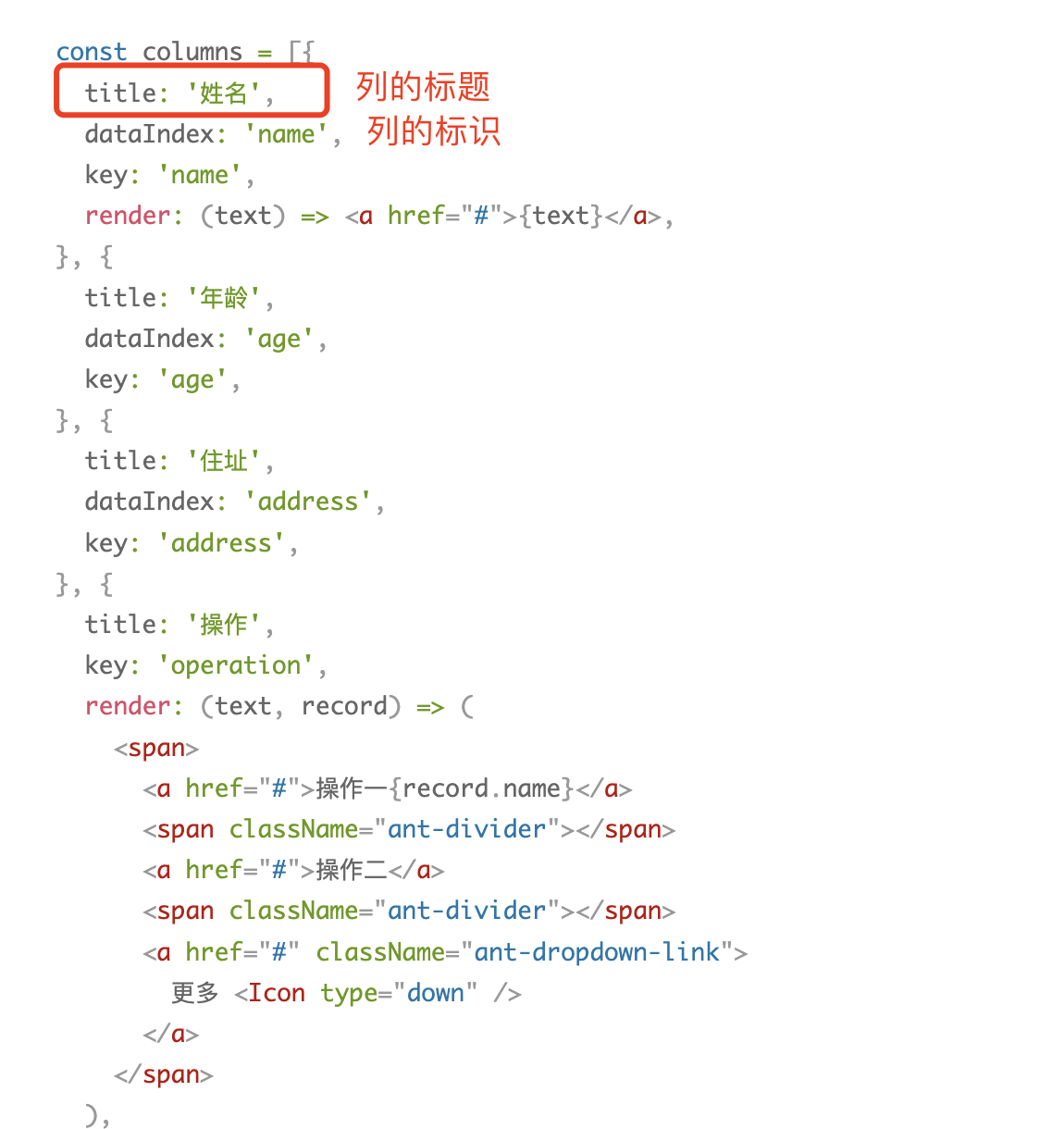
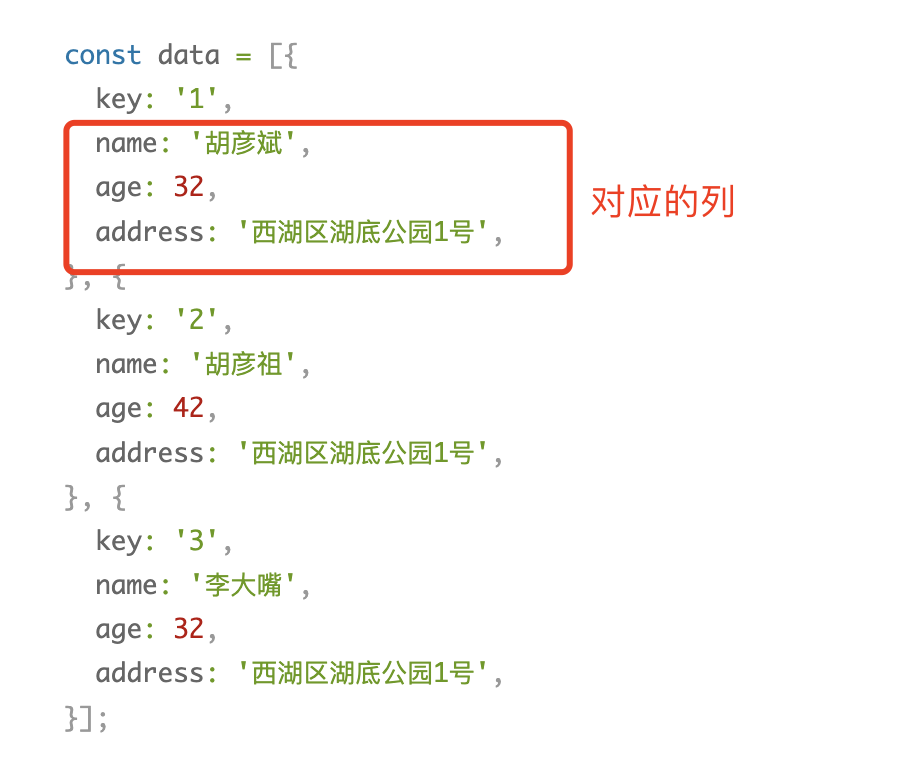
然后再看看dataSource的结构

dataSource的数据结构如下,其中name、age都是对应列的dataIndex的,就是对应的是哪一列
dataSource可以看出是表格的数据
9.清除了组件的参数之后就可以进行对应的重写了,我们获取表格的列数据,然后遍历列数据,修改对应的列数据
把原有的数据赋值到我们创建的对象里
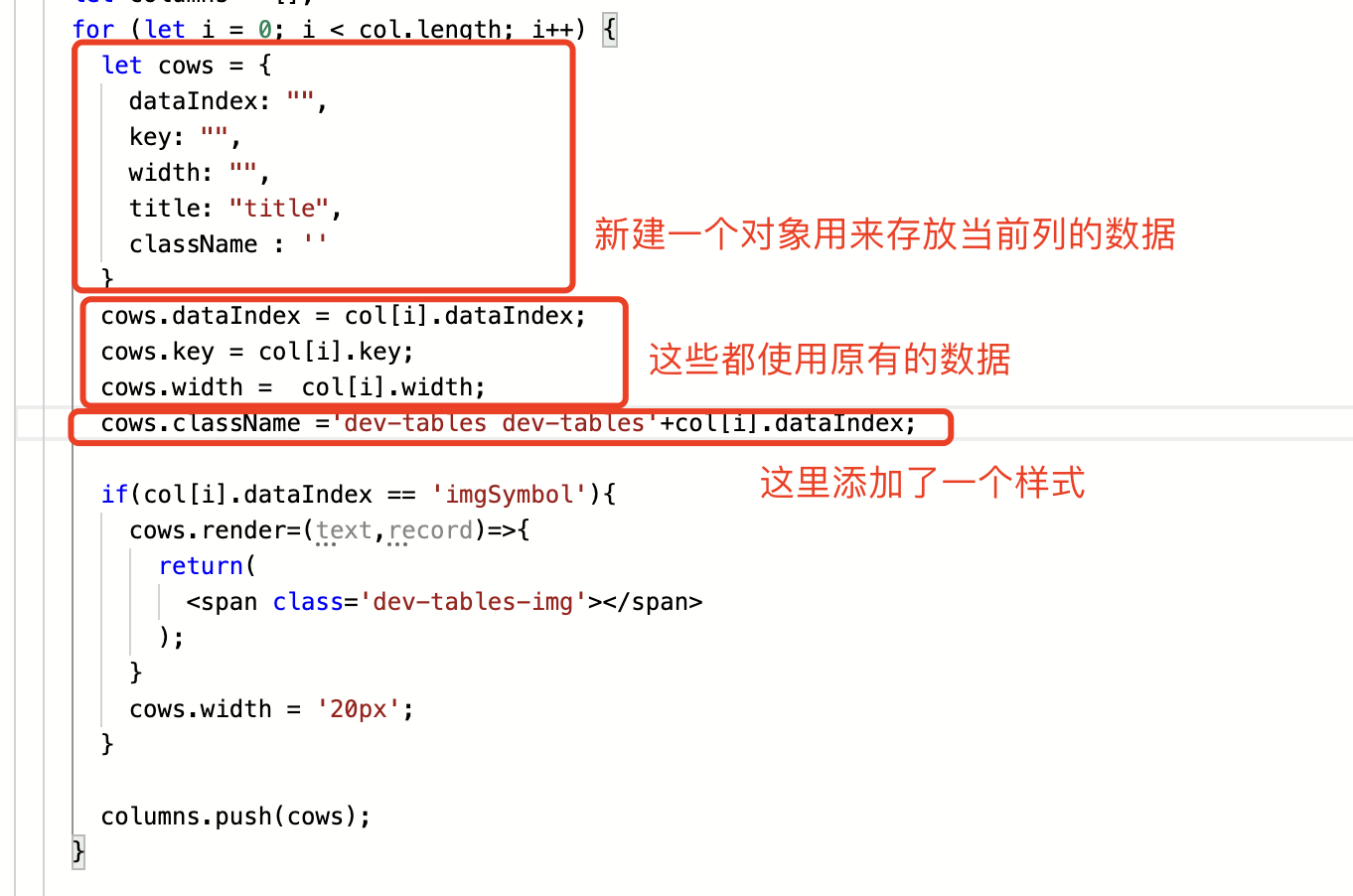
但是我怎么知道列的对象里都有哪些字段呢?像width、className在刚才的组件库代码里都没有呀
我们可以在render里debugger,然后去查看列的对象数据,就可以知道有哪些字段了,不过要先把ecode发布。
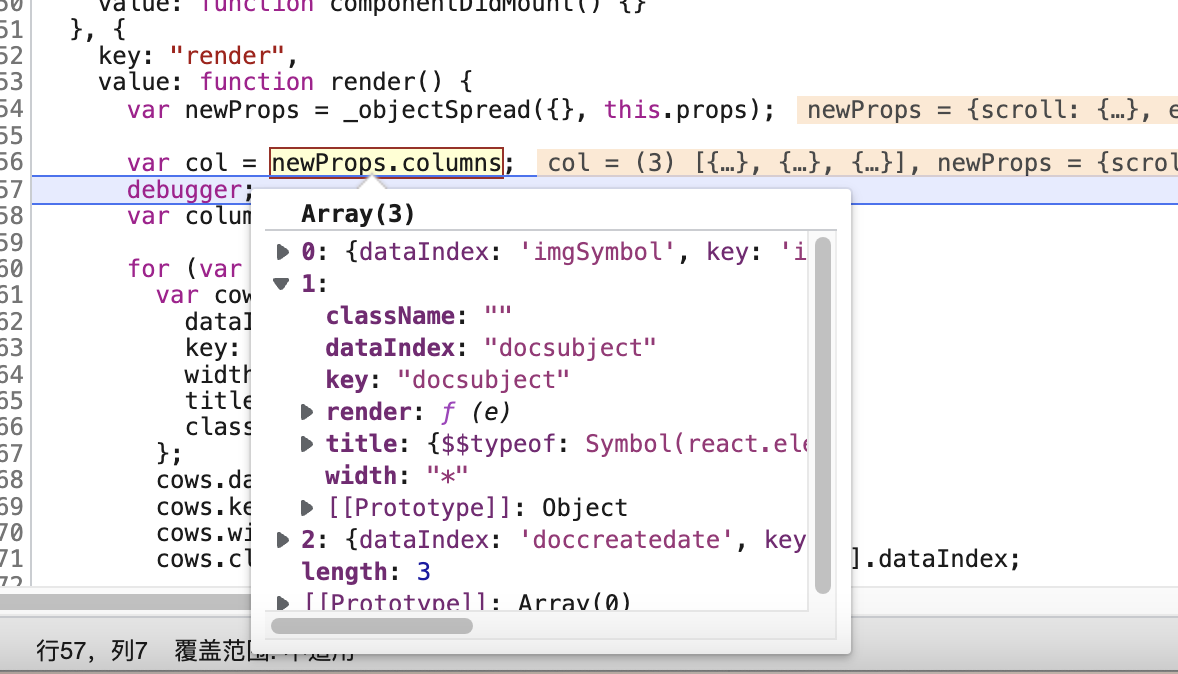
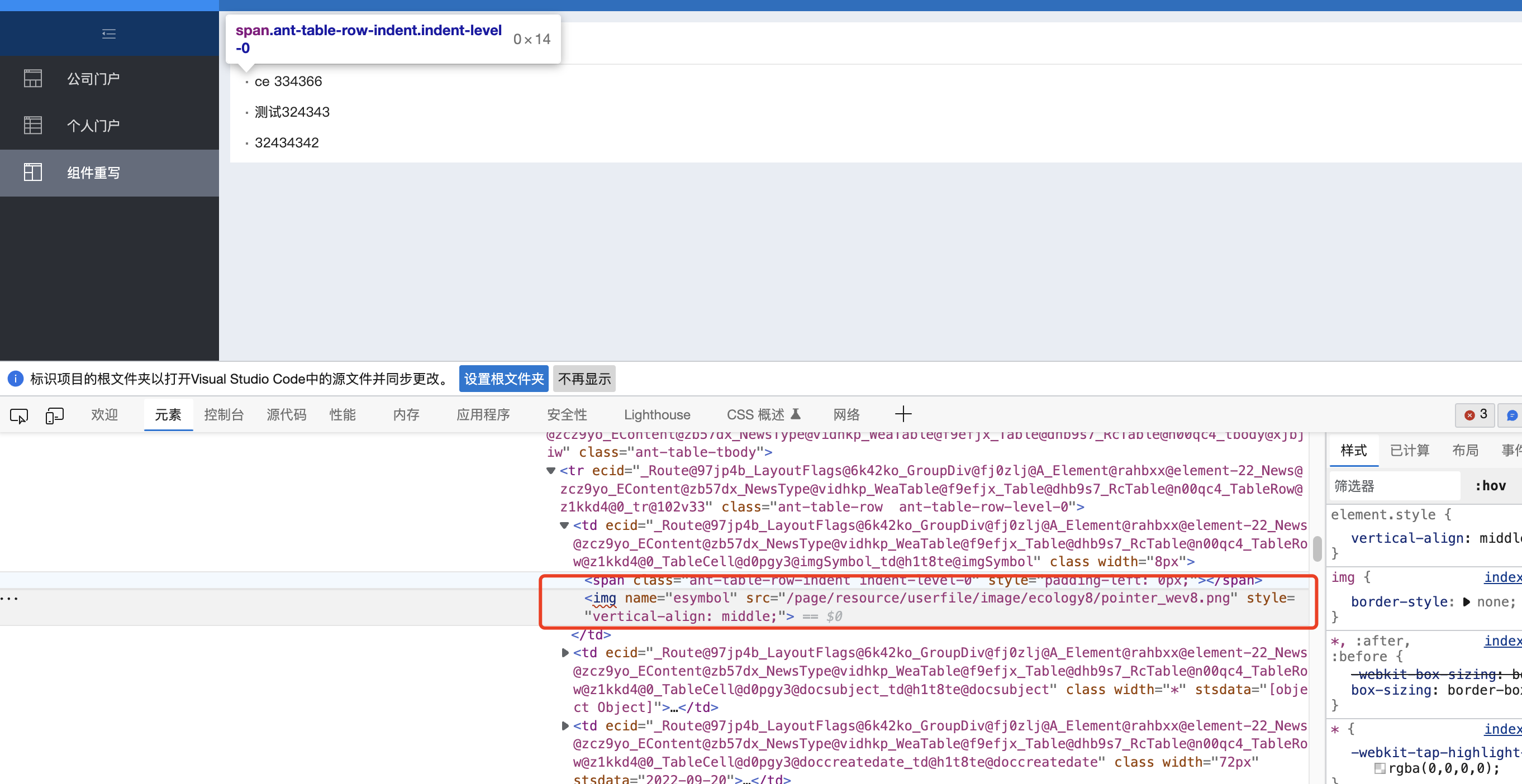
10.接下来我们要实现在列表左边添加圆点,审查元素看一下这一列,也就是imgSymbol这一列,td下面是有两个元素的,我们要把这两个元素去掉,换成我们自己加的元素
在遍历列时我们可以通过dataIndex判断是哪一列,当为imgSymbol这一列时我们就对列的render进行修改,返回一个我们自己写的元素,每一列都有render对象,render对象就是用来渲染单元格的
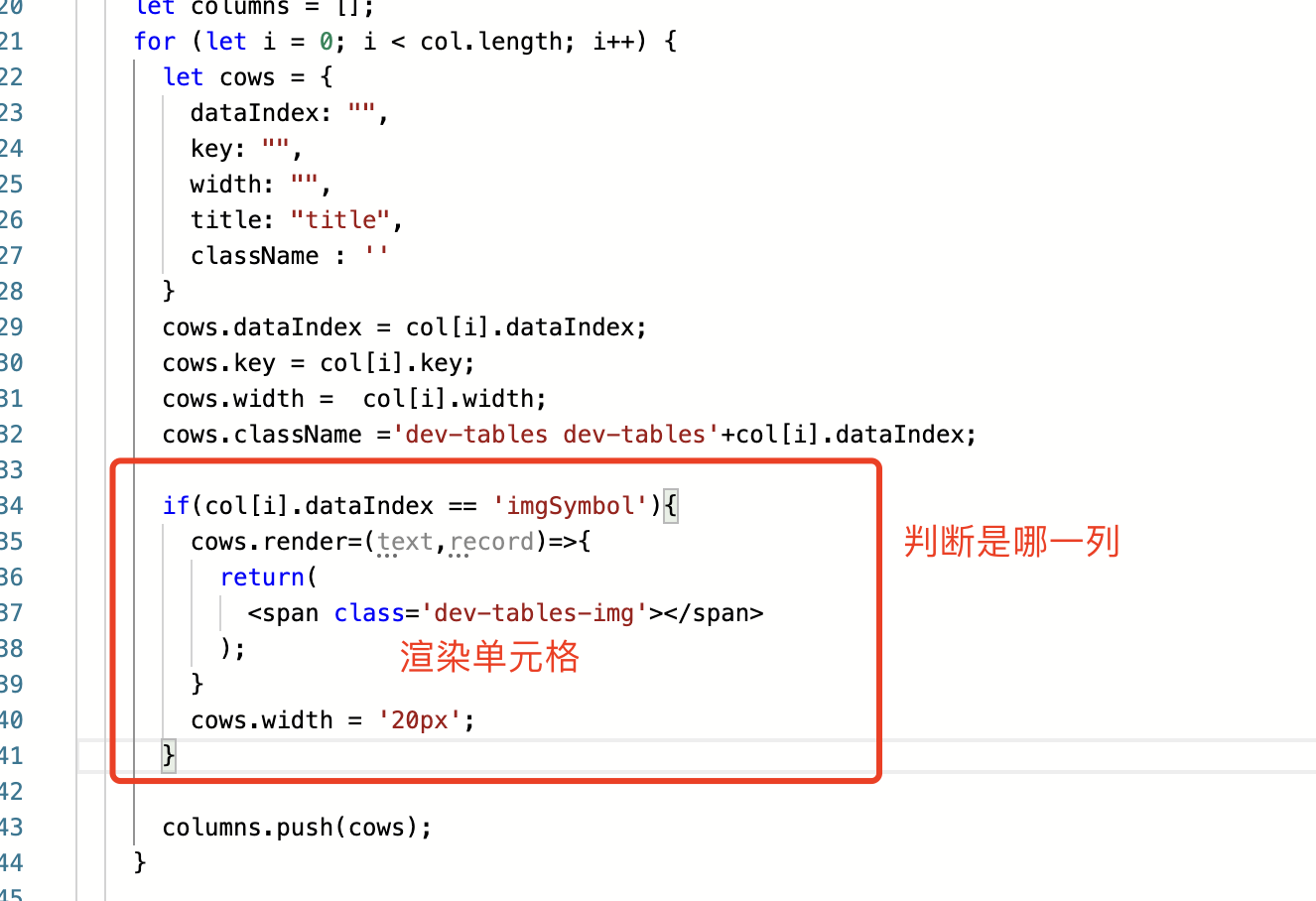
在span元素设置了一个class属性:dev-tables-img,用来定义样式显示圆点
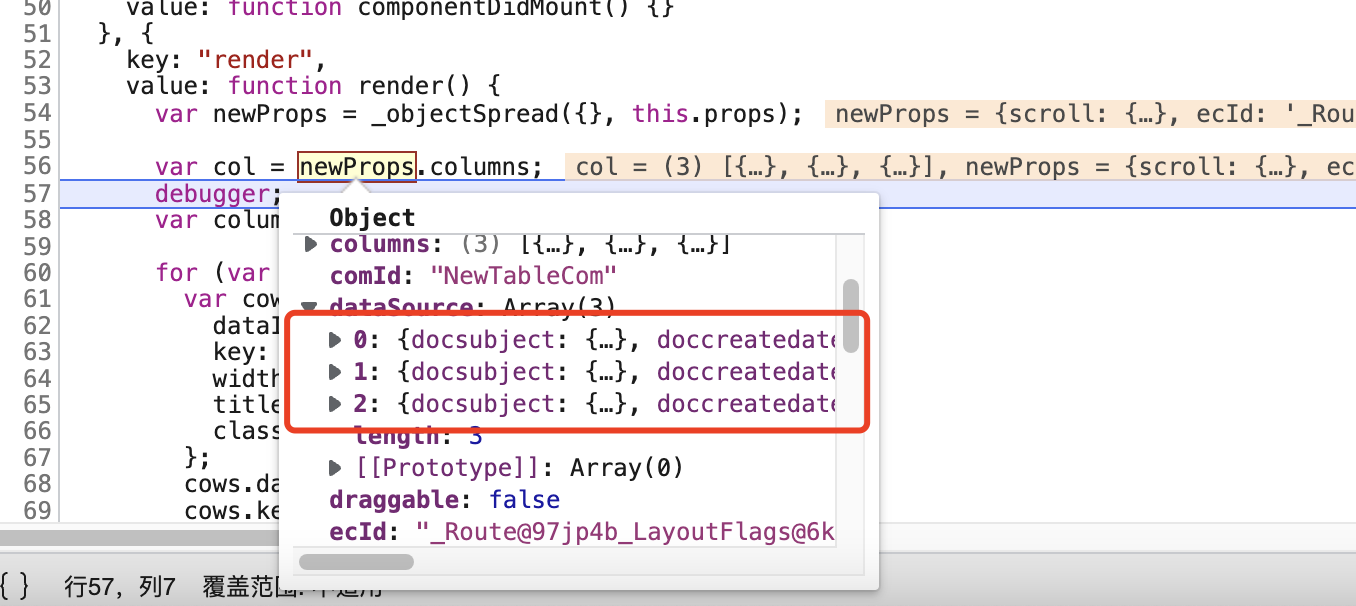
11.然后我们就要添加列表数据了,遍历原组件参数的dataSource,获取dataSource里面的数据赋值到我们创建的对象datas里面,如果我们不执行此步骤,表格就没有内容
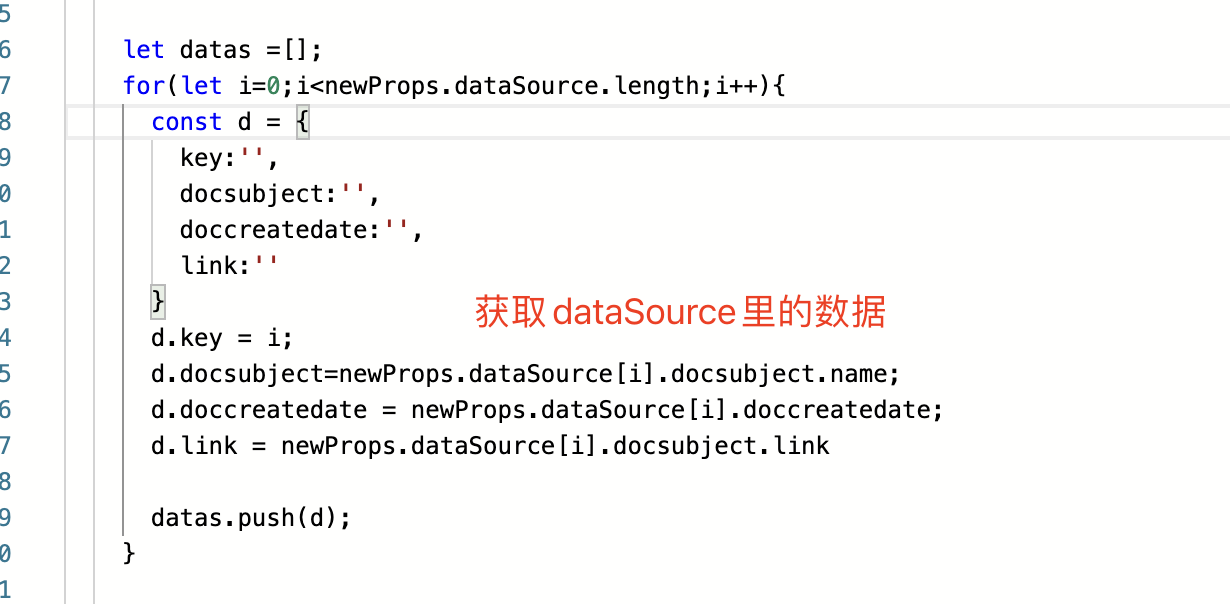
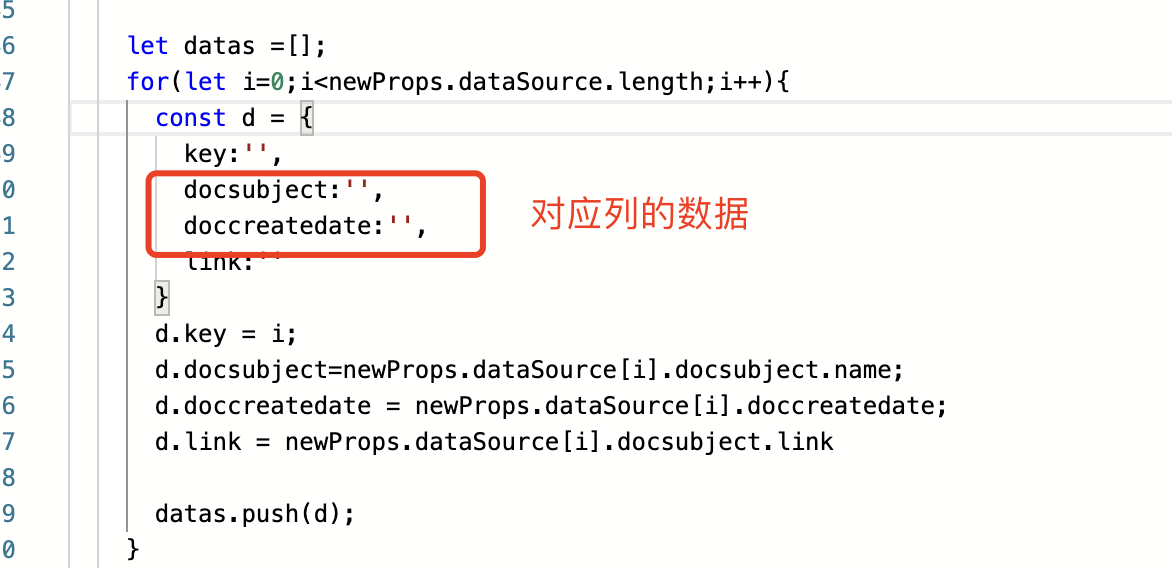
原组件的参数dataSource是什么?
我用的是门户里的文档中心,所以表格显示的是文档列表,通过调试知道dataSource是文档的数据
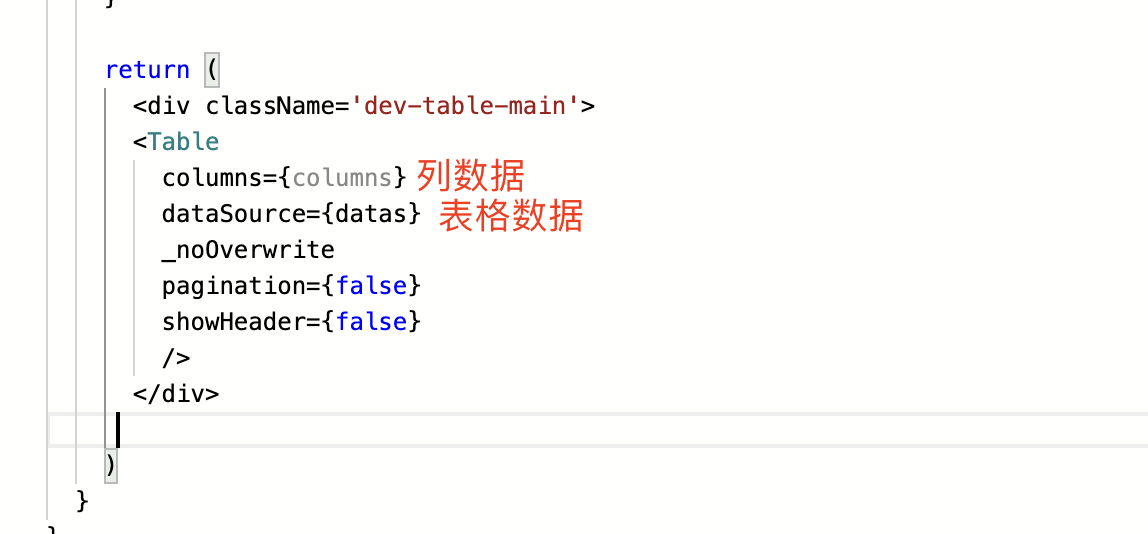
12.设置render的return返回值,返回的是一个table组件,把列数据和表格数据都传到组件里,还有其它的参数例如pagination到组件库去查一下是什么作用的就可以了
13.现在整个组件文件的代码已经写完了,然后还差3个样式,编辑index.css文件,输入:
```
.dev-tables-img{
background:#ccc;
display: block;
width: 10px;
height: 10px;
border-radius: 45px;
}
.dev-tablesdocsubject:hover{
color:red;
}
.dev-tablesdoccreatedate{
color: #ccc;
}
```
.dev-tables-img是小圆点的
.dev-tablesdocsubject是文档名称的样式,鼠标悬浮时文字变红
我们是样式叫.dev-tablesdocsubject呢?因为在组件里定义样式时是把dev-tables加上了列的dataIndex
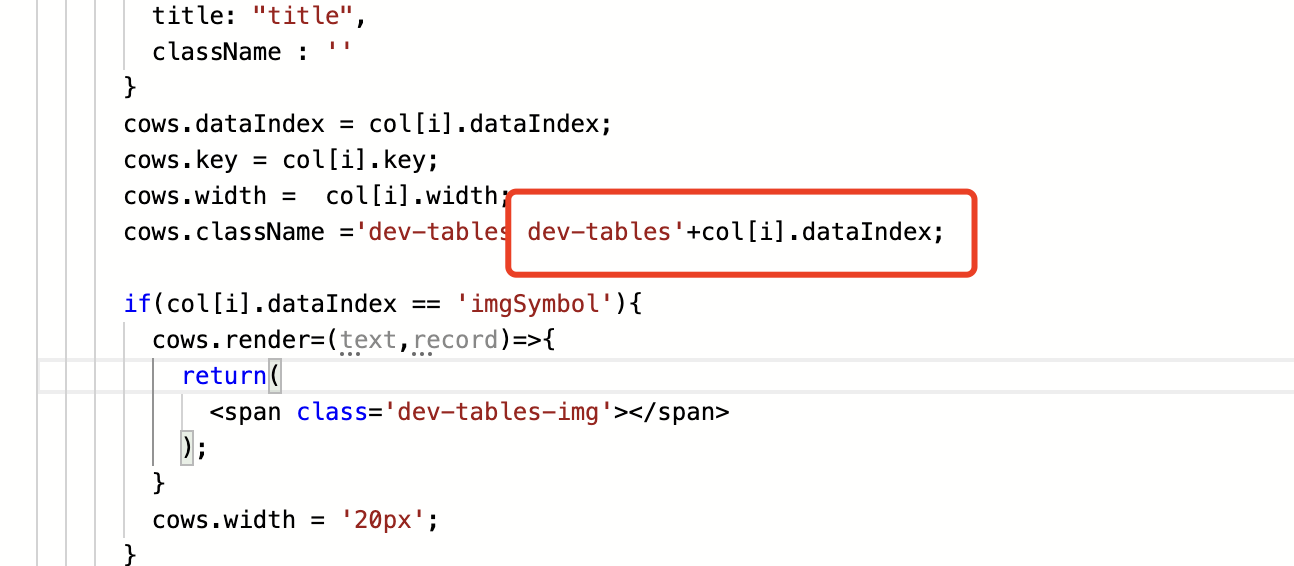
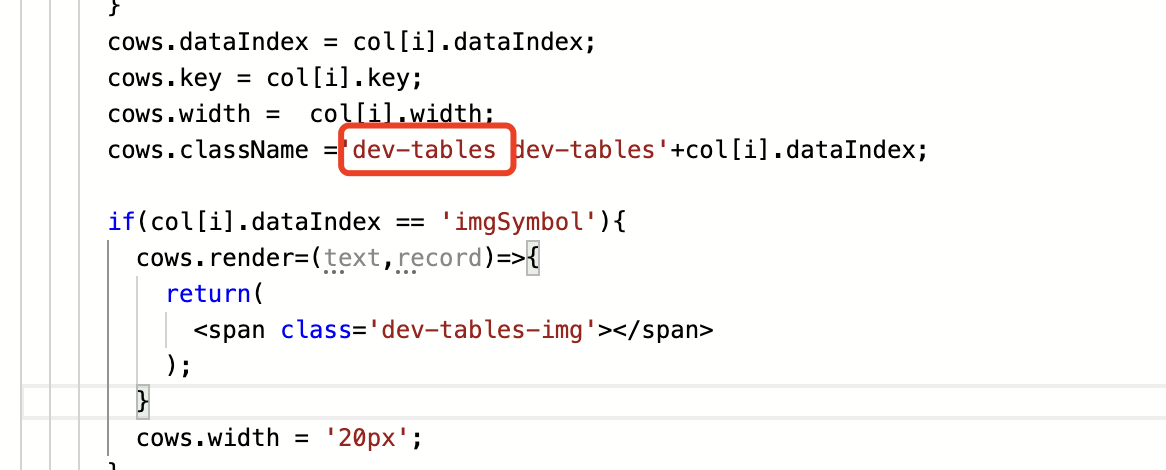
注意我们重写组件的样式时需要保留组件的原有class
14.现在组件已经重写好,发布ecode
## 源码
**附件:** [table复写.zip](./files/table复写.zip)
ecode导出文件
register.js
```javascript
let enable = true;
// 从全局导入
const NewCom = (props) => {
const acParams = {
appId : '${appId}',
name:'NewTableCom',
isPage:false,
noCss:true,
props,
}
const NewCom = props.Com;
return window.comsMobx?ecodeSDK.getAsyncCom(acParams):();
}
ecodeSDK.overwriteClassFnQueueMapSet('Table',{
fn:(Com,newProps) =>{
if(!enable) return;
const {hash} = window.location;
if(!hash.startsWith("#/main/portal/portal-3-1")) return;
newProps.Com = Com;
if(newProps._noOverwrite) return;
return{
com:NewCom,
props:newProps,
}
}
});
```
index.js
```javascript
const NewTables = ecodeSDK.imp(NewTables)
const {Provider} = mobxReact;
const allStore = ecodeSDK.imp(allStore);
class NewTableCom extends React.Component {
render(){
return (
)
}
}
// 导出到全局
ecodeSDK.setCom('${appId}','NewTableCom',NewTableCom);
```
NewTableCom.js
```javascript
const {Table} = antd;
class NewTables extends React.Component {
constructor(props) {
super(props);
this.states = {
}
}
componentDidMount() {
}
render() {
let newProps = { ...this.props };
const col = newProps.columns;
debugger
let columns = [];
for (let i = 0; i < col.length; i++) {
let cows = {
dataIndex: "",
key: "",
width: "",
title: "title",
className : ''
}
cows.dataIndex = col[i].dataIndex;
cows.key = col[i].key;
cows.width = col[i].width;
cows.className ='dev-tables dev-tables'+col[i].dataIndex;
if(col[i].dataIndex == 'imgSymbol'){
cows.render=(text,record)=>{
return(
);
}
cows.width = '20px';
}
columns.push(cows);
}
let datas =[];
for(let i=0;i
)
}
}
```
index.css
```
.dev-tables-img{
background:#ccc;
display: block;
width: 10px;
height: 10px;
border-radius: 45px;
}
.dev-tablesdocsubject:hover{
color:red;
}
.dev-tablesdoccreatedate{
color: #ccc;
}
```
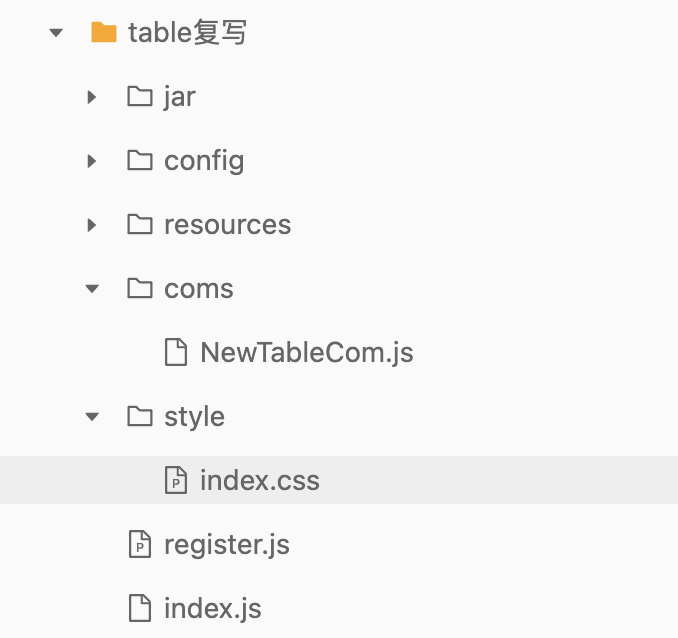
项目结构